
Website Builder vs Web Hosting My Honest Comparison
Which path gives you more freedom: an all-in-one design tool or a standalone server you control?
I have spent years testing tools like Hostinger Website Builder, Wix, and Squarespace to see how they compare to traditional web hosting services. My goal is simple: cut through the jargon and help you pick the right platform for your needs.
An all-in-one solution bundles design tools and hosting together for a smooth start. It fits people who want speed and low fuss.
By contrast, managed hosting gives you server control and flexibility, but it asks for more technical know-how. I’ll explain the trade-offs and share what I learned so you can choose confidently.
Key Takeaways
- I’ll show the main pros and cons of each approach so you can match choice to goals.
- All-in-one platforms simplify setup and include hosting by default.
- Independent hosting offers control and customization at the cost of complexity.
- My hands-on testing covers popular options like Hostinger, Wix, and Squarespace.
- By the end, you’ll know which path fits a personal blog, portfolio, or business site.
Understanding the Core Differences
The real choice boils down to how much control you need versus how much simplicity you want. I often tell readers that one path hands you keys to the server, while the other hands you a ready-to-use interface. This matters when you plan features or expect traffic to grow.
With web hosting, you rent a digital plot and build the structure yourself. You pick the stack, install tools, and manage updates. That gives power, but it also brings responsibility.
A website builder acts like a furnished apartment. The provider manages security, updates, and infrastructure. You trade some control for speed and ease. For many small site owners, that trade is a good one.
- Control: hosting gives granular access and customization.
- Convenience: a website builder speeds launch and reduces maintenance.
- Future-proofing: migrating between systems can be time consuming, so plan ahead.
I advise choosing based on long-term goals: pick control if you expect complex needs, or choose convenience if you need a fast, low-effort start.
Website Builder vs Web Hosting: A Direct Comparison

I looked closely at metrics that reveal real-world performance for small and growing sites.
Key performance depends on resources and setup. Builders usually include a domain name and SSL by default, so you save time during launch. Traditional hosting often requires you to add those pieces and configure them yourself.
Key Performance Metrics
Load time and uptime come down to how the company configures its server stack and caching. If the provider optimizes infrastructure, pages load faster for every visitor.
Resource limits—CPU, RAM, and bandwidth—determine how well a site handles spikes. Many builders throttle resource usage to keep shared environments stable. Managed hosting gives you more options for custom performance tuning.
Target Audience Profiles
- Beginners: Prefer a cohesive package that reduces setup time and includes basic features.
- Developers: Need granular control and custom modules on a server they configure.
- Growing businesses: Should weigh the trade-off between fast launch and long-term flexibility.
In short, choose convenience if you want speed to market; choose control if you expect complex needs later.
The All-in-One Convenience of Website Builders
An integrated service can get a new site live in hours instead of days, and that matters for small businesses. I value speed and low friction when clients need an online presence fast.
Benefits of a Closed Ecosystem
The drag-and-drop interface lets you craft a professional business site without writing code. You pick a template, drop elements, and tweak styles.
Integrated security and managed updates reduce risk. The platform patches vulnerabilities and protects your site so you don’t have to track every update.
- Pre-built templates save time and cut design work.
- Support teams handle the server side and answer questions quickly.
- Bundled SEO and analytics tools help you grow with minimal setup.
“Centralizing design and hosting gives a consistent experience and lowers maintenance for busy owners.”
The Power and Flexibility of Traditional Web Hosting

For projects that demand scale and custom tooling, traditional servers often win on flexibility. I prefer this path when I need full control over resources, security settings, and advanced features.
Shared Hosting Options
Shared hosting is the most affordable entry point. Multiple sites share the same server resources, which keeps costs low.
It is a solid option for a new site or small business with light traffic. Expect limits on CPU and RAM, but you get basic support and an easy start.
Virtual Private Server Solutions
Virtual private server plans give dedicated slices of resources. That means more power and the flexibility to scale as traffic grows.
You can install custom packages, tune performance, and reserve space for heavier workloads without moving to a full private server immediately.
Managed WordPress Hosting
Managed WordPress hosting automates backups, updates, and security audits so you can focus on content and design. Dedicated support teams handle deep server issues.
In short: if you want minimal maintenance but need performance and safety, this specialized service saves time and reduces risk.
- Entry-level: shared hosting keeps costs low for new projects.
- Scale: virtual private server options let you grow resources smoothly.
- Convenience: managed WordPress handles backups and security for you.
“The level of control with traditional servers lets developers build custom, high-performance sites that scale with demand.”
Evaluating Costs and Long-Term Value

Assessing long-term value means looking past first-year discounts and toward renewal fees.
When I compare options, I track both upfront and ongoing costs. A cheap introductory plan can jump in price at renewal. That matters for a small business with tight budgets.
All-in-one site builders often offer a fixed monthly fee that makes budgeting easy. By contrast, web hosting can add expenses—premium plugins, themes, or extra security tools.
- Check if a plan includes a free domain name and email—Hostinger’s $2.99/month tier bundles a free domain, email, and unlimited SSL for a site.
- Factor in time costs: maintenance, updates, and security take hours if you self-manage.
- Account for future upgrades; shared plans may force a move to pricier tiers as traffic grows.
“Compare annual totals and renewal terms before you commit.”
In short, don’t buy the lowest sticker price. Compare real yearly costs and included services to pick the best long-term option.
Design Customization and Creative Freedom
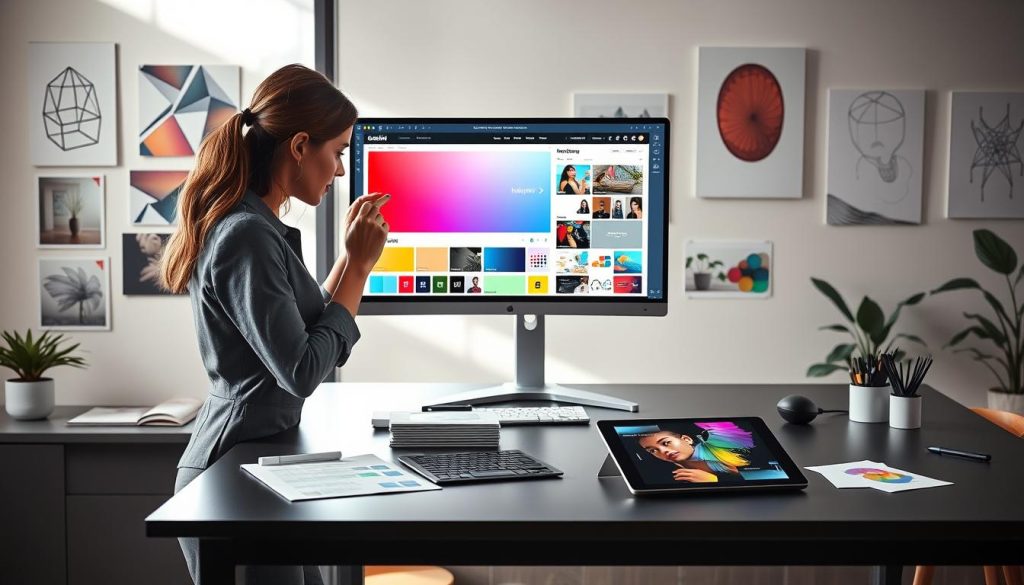
Creative control over a site’s look and feel often decides whether a project feels unique or templated.
The role of templates and code matters more than most people expect. A website builder gives a visual tool that makes editing fast and simple. You pick a template, tweak blocks, and launch quickly.
That ease comes with limits. Templates can lock layout choices and restrict advanced features. For brands that need identity and nuance, those limits show fast.
The power of direct edits
With traditional hosting you can open and edit website files. I can change CSS, add custom scripts, or swap themes anytime.
- More themes: WordPress alone offers 10,000+ themes for deep design options.
- Custom code: lets you build features not found in standard templates.
- Flexibility: switching themes or editing files gives total control over every pixel.
“Templates speed launch; code makes your site truly yours.”
Maintenance, Security, and Technical Responsibility
I see many owners underestimate the time needed to maintain their online presence. When you use web hosting and manage a server, most security and upkeep tasks fall to you.
That includes patches, monitoring, and routine backups. If you run a CMS, you must update plugins and check files to avoid breaches. These chores take time and steady attention.
A website builder automates many of these duties. The platform applies security patches, runs automated backups, and shields your site from common threats. That leaves you free to focus on content management and growth.
Managing hosting gives more control and more resources for optimization. But it also requires skill to tune performance and handle troubleshooting.
- Do I need to self-manage? If you like control, plan time for maintenance.
- Prefer hands-off? A hosted builder handles security and backups for you.
- Common questions: ask how backups are stored and how fast recovery works.
“Your comfort with tech should guide whether you take on the technical responsibility or offload it to a provider.”
Exploring the Hybrid Approach for Modern Websites
Combining a visual editor with managed infrastructure often ends the trade-off between control and simplicity.
The hybrid model pairs a drag-and-drop tool like Elementor with managed server plans. That means you get familiar design controls on top of a flexible CMS. I find this lets teams craft unique layouts without heavy coding.
Bridging the Gap with Elementor
Elementor provides a visual, block-based interface that runs in WordPress. You keep full access to files and plugins while editing pages visually.
This approach saves time in the design phase and reduces reliance on locked templates. It also lets you add custom features when needed.
Managed Hosting Benefits
Managed plans add value through automatic backups, platform-level security, and tuned performance. Support teams know the CMS ecosystem and can troubleshoot plugin or server issues fast.
For a growing business, that support and the extra security reduce risk and free time for content and marketing.
- Design freedom: visual editing with full-file access.
- Security & backups: automatic snapshots and hardened servers.
- Support: specialist teams for performance and recovery.
“This hybrid path often delivers the best of both worlds: quick design and scalable infrastructure.”
Choosing the Right Platform for Your Specific Needs
Start by listing what you must do, what you can delegate, and what you absolutely must control. That honest inventory makes the decision practical instead of emotional.
I weigh three things: my technical skill, my budget, and long-term goals for the business site. If I need a simple presence fast, a website builder often saves time and reduces upkeep.
If I need advanced features, custom integrations, or fine-grained control, I choose traditional web hosting with a robust cms. That path gives flexibility to add tools and tune performance.
- Domain name & hosting plans: pick based on expected traffic and content complexity.
- Design requirements: ask how templates map to your brand and what custom work you need.
- Future growth: plan migration paths—moving platforms can cost time and money.
Ultimately, choose the option that fits your comfort level and support needs. I recommend testing a small project first to confirm the platform meets your real-world needs.
“Match platform strengths to priorities: speed to launch, control for scale, or managed support for peace of mind.”
Conclusion
Choose clearly, and match the platform to your goals and technical comfort. I recommend listing must-have features and the time you can commit to maintenance before you decide.
If you want a fast, low-effort launch, a website builder gives an all-in-one path with managed updates and templates. If you need deep customization, traditional hosting provides power and flexibility for growth.
Both routes can deliver a professional website when you align the choice with your content strategy and future needs. If you still have questions, weigh long-term costs and control, then test a small project to confirm the fit.