
How Sage Cloud Hosting Improved My Business Efficiency
I wondered if shifting our accounting tools would actually change day-to-day work. When I moved to sage cloud hosting, the change was immediate: less time on servers, more time on projects.
I partnered with Visory for 24/7/365 Obsessive Support® and reliable migration help. That support, plus enterprise-grade security and predictable operating costs, let our construction firm stop worrying about servers.
By running our accounting software and applications in a secure environment, my team gained fast access to data from any jobsite. Performance, collaboration, and infrastructure management all improved, so I could focus on clients and growth instead of troubleshooting.
Key Takeaways
- Moving to a managed solution cut hidden IT costs and removed on-premise servers.
- 24/7/365 support from Visory keeps critical applications available.
- Enterprise-grade security protects data while improving access for users.
- Performance and infrastructure upgrades helped our construction firm manage complex projects.
- The shift let our team focus on clients and service rather than IT maintenance.
My Journey Toward Digital Transformation
A pattern of slow access and downtime made me rethink how we ran our systems. Our on-premise setup kept us tied to desks and delayed work at job sites.
I realized that a digital shift was more than a technical upgrade. It was a strategic move to increase agility and long-term sustainability for my business.
I spent months evaluating options and testing how different cloud models would support our workflows. I compared performance, mobile access, backup strategies, and vendor support.
- Workflow compatibility with field teams
- Security and backup procedures
- Ease of updates and vendor support
The result was a clear path away from rigid, office-bound processes. By deciding to modernize, I gained faster access to data and more flexible operations.
That flexibility let my team focus on projects, not servers.
Understanding the Value of Sage Cloud Hosting
Moving our accounting system to a fully hosted model changed how I plan projects and allocate staff. The Sage Business Cloud launch in 2017 marked a clear shift from legacy installs to cloud-connected frameworks, and that mattered for our daily operations.
The Shift to Cloud-Connected Frameworks
Not all migrations are equal. A cloud-connected framework links on-prem software to remote services. It helps with remote access but may still rely on local servers and manual updates.
Benefits of a True Cloud Environment
Fully hosted environments remove that burden. Using the Sage Partner Cloud and certified portals gave us access to optimized servers and proactive cybersecurity for our Sage 100 deployment.
SWK Technologies, as an accredited strategic provider, showed how enterprise infrastructure supports construction and real estate needs. The outcome was better performance, simpler management, and improved collaboration for clients and users.
“Running accounting applications on optimized servers reduced downtime and sped up system-wide upgrades.”
- Seamless upgrades for Sage 100
- Stronger security for sensitive data
- Anywhere access to applications and files
Overcoming On-Premise IT Limitations
I kept losing weekends to hardware refresh cycles and emergency patches. Managing physical servers drained time and money from my core work.
On-premise deployments created constant IT headaches. Legacy perpetual licenses forced renewal headaches and made costs unpredictable. Our legacy sage 100 setup became a bottleneck as we tried to scale.
Moving our accounting software to a managed solution let me stop replacing aging equipment. Hosting the system offsite removed the need to maintain physical servers at every office.
Proactive management patched vulnerabilities and cut hidden risks from unpatched networks. The shift also let us move from perpetual fees to predictable subscription billing.
“By untethering from local hardware, we gained the freedom to grow without IT blocking the way.”
- Stopped recurring hardware refresh costs
- Eliminated office-bound limits for staff
- Reduced technical risks with proactive monitoring
Enhancing Security for Sensitive Financial Data

Rising cyber threats in construction made me lock down how we store and manage financial files. Protecting payroll, vendor invoices, and job-cost ledgers became a practical priority.
Protecting Assets Against Modern Cyber Threats
I moved our accounting to a managed environment that includes incident response from experienced providers. Those teams monitor threats and act fast when an alert appears.
Frequent, redundant backups now run automatically so I can restore records without long disruption. Modern authentication—multi-factor login and role-based access—keeps unauthorized users out.
- Enhancing security for our sensitive financial data was our top priority because attacks on construction firms are rising.
- We chose a secure cloud solution that provides proactive monitoring to ensure data remains protected against unauthorized access.
- Using a managed provider helps ensure data integrity through frequent, redundant backups.
- Enterprise-grade security protocols shield our sage applications and financial assets from modern threats.
“Proactive monitoring and fast incident response gave us peace of mind and cut recovery time.”
Achieving Anytime and Anywhere Access
Instant access to project data on-site removed constant back-and-forth calls with the office.
With a stable internet connection, my team views job financials from any job site and makes faster decisions. Remote access sage applications require no special hardware—just a reliable internet connection and a compatible device.
Having everyone in the same hosted environment means we all see the same real-time data. That shared view reduced mistakes and kept bids, budgets, and invoices aligned across the field and office.
Modern platforms are platform-agnostic, so crew members use phones, tablets, or laptops without losing functionality. Secure remote access follows current authentication standards to keep business data safe while we work on the move.
- Mobility: View financials on-site for quicker decisions.
- Simplicity: One internet connection is the only technical requirement.
- Consistency: Everyone works from the same live data set on their chosen device.
Streamlining Operations with Managed Services

Adopting a single managed solution gave me back time and clarity for client work. My firm stopped juggling servers and started trusting specialists to run our applications and infrastructure.
Visory’s Obsessive Support® and real-time monitoring changed the daily rhythm. Alerts reach engineers who fix issues before users notice. That proactive stance keeps our sage 100 and other accounting applications responsive during tax season and month-end closes.
Obsessive Support and Real-Time Monitoring
24/7 monitoring means performance metrics and security events are watched continuously. When an anomaly appears, the provider acts fast so my team keeps moving.
Reducing Hidden IT Costs
Switching to managed services replaced large capital buys with predictable operating fees. That freed budget for projects and reduced surprise repair bills.
Predictable Operating Expenses
With annual updates, testing, and validated deployments from cloudIT, I know patching, backups, and application management are handled. Single-partner accountability simplified vendor calls and improved the customer experience for my construction firm.
“Consolidating IT with one partner let us focus on jobs, not servers.”
- Fewer hidden costs and clearer monthly expenses.
- Proactive support keeps applications up for users.
- Backups and validation reduce recovery time and risk.
Improving Collaboration Across My Business Team
Our field crews started sharing job files in real time, and the change rippled through every department. Platform-agnostic file sharing made it simple for anyone to open plans or budgets on any device.
Microsoft 365 integration with our sage applications improved email and document flow. Teams can edit the same files, and version conflicts disappeared.
Centralized, integrated systems gave us one source of truth for project numbers and schedules. That cut back-and-forth messages and sped up approvals.
- We use cloud-based software to share data and keep documents current for the whole business.
- A stable internet connection lets staff collaborate on applications from the office or a job site.
- Secure remote access means team members work together without being tied to a desk.
“When everyone sees the same data, decisions happen faster and errors drop.”
Scaling Resources to Match Growth
As our workload grew, I needed infrastructure that stretched and shrank with demand. Moving key systems to a sage cloud model let me scale users, storage, and performance without buying new racks or interrupting work.
Private servers were sized to our user count and reporting needs. That meant heavy reports ran on systems built for them, while smaller offices used lighter capacity. The result was faster reporting and fewer slowdowns.
Flexibility in resource allocation also cut costs. We only pay for the capacity we actually use, so growth doesn’t force a huge upfront investment. When a big project lands, I add storage and user seats, then scale back after closeout.
- Scaling resources to match growth became simple after we moved our sage operations to a flexible cloud environment.
- We adjust storage and user capacity on demand to meet changing business needs.
- Quick scaling keeps performance steady and avoids overspending on unused server capacity.
“The ability to scale quickly let us focus on expansion instead of fighting IT limits.”
Ensuring Business Continuity with Reliable Backups
I insisted on a recovery strategy that would restore operations in hours, not days. That focus shaped every choice we made for protecting mission-critical financial systems.
Minimizing Downtime During Critical Periods
Integrated backup, replication, and disaster recovery were configured specifically for Sage 300 CRE and sage 100 environments. Automated backups run on a schedule that covers nightly changes and hourly transaction logs.
Built-in redundancy in our cloud infrastructure adds another layer of protection for invoices, payroll, and job ledgers. CSP oversight validates file integrity and gives me a safety net against business-breaking downtime.
- Automated cloud hosting backups help ensure data integrity during peak seasons like tax time.
- Secure retention policies and replication reduce recovery windows for our software and applications.
- Robust disaster recovery and provider support let us restore systems quickly and keep work moving.
“Reliable backups are the backbone of business continuity; they let us work through failures without losing momentum.”
By keeping frequent, secure backups and a tested recovery plan, I can ensure data is available and my business stays productive even after unexpected shutdowns.
Simplifying Software Updates and Patch Management
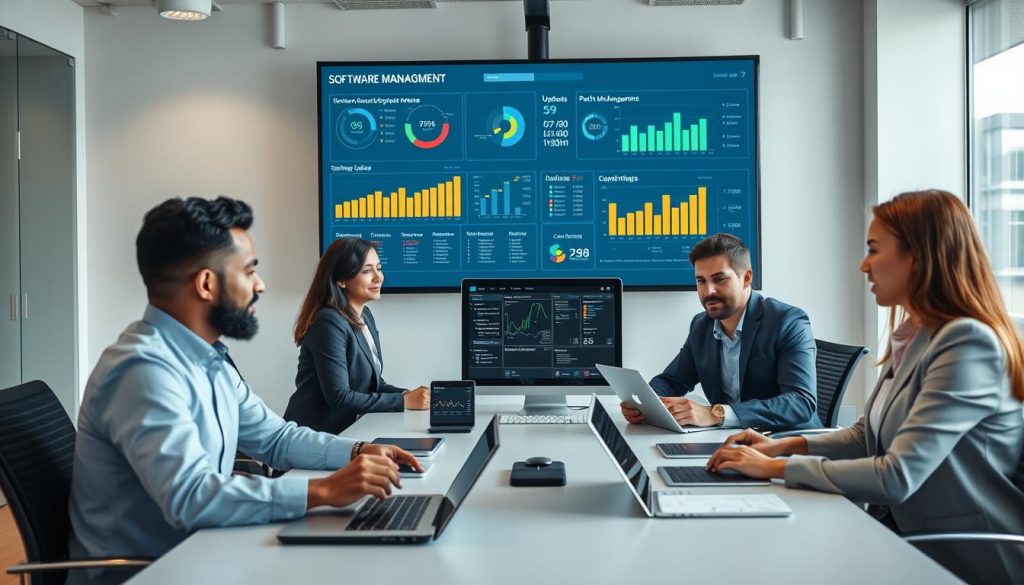
Keeping software current used to feel like a second full-time job for our admin team. Routine updates and emergency patches ate hours and stalled work. That changed when we moved maintenance to a managed provider.
Background patching now runs without disrupting users. Critical maintenance occurs off-hours so my team avoids surprise downtime and stays focused on projects.
Our provider takes care of planning, testing, and validating annual Sage updates. They stage updates, run checks, and roll changes out only after validation. This reduces risk and simplifies transitions during busy periods.
Automated patching is also a security win. Modern threats spread fast, and real-time updates close vulnerabilities before attackers can exploit them. Consistent patch management keeps our sage 100 environment compliant with industry standards.
- We saved countless hours of manual work and cut unnecessary downtime.
- The provider manages sage 100 updates in the background so our software stays current.
- Automated management removes the need for large, disruptive implementation projects.
- Real-time patching defends the business against fast-moving threats.
- This hands-off approach lets me focus on core work while specialists handle updates.
“Outsourced update management turned disruptive upgrades into routine maintenance.”
Integrating Third Party Applications Seamlessly
Bringing external apps into our ecosystem removed manual exports and endless reconciliations. I found that managed providers take on the complex work of connecting accounting systems to the tools we use every day.
Purpose-built environments keep our data flowing between systems without slowdowns. The platform is designed for integrated workflows so reports, invoices, and project records sync reliably.
Expert teams handle API mappings, security, and testing. That means my staff spends less time fixing integrations and more time serving clients.
- Integrations made our accounting and project tools act like one, boosting efficiency.
- My provider manages connections between sage software and critical third-party applications I rely on.
- Clean data flow gives the team a unified view of business operations.
- Ongoing support keeps integrations stable and improves productivity for my clients and staff.
- Hosting in a flexible cloud environment lets me add new applications as needs change.
“Seamless integrations turned scattered tools into a single, reliable system.”
Choosing the Right Partner for My Infrastructure
Choosing the right infrastructure partner felt like picking the backbone for every project we would run.
I evaluatedAuthorized providers for experience with Sage-driven businesses, database needs, and reporting complexity. I focused on firms that act as both VARs and CSPs so they could own infrastructure, updates, and support.
Experience matters. SWK Technologies stood out as a longtime Sage VAR and CSP offering tailored services for sage 100 users. Their track record showed they could manage our private stack and scale resources when projects peaked.
Evaluating Authorized Sage Partners
I asked about real deployments, uptime SLAs, and how they handle backups and recovery. Proof of successful migrations and client references made the choice clear.
The Importance of Infrastructure Expertise
Having a single partner handle server management, patching, and customer support simplified costs and accountability. That combined approach improved security, kept applications responsive for users, and let my team focus on clients and field work.
- Single-partner accountability reduced vendor friction.
- Specialized infrastructure management improved performance and backups.
- Choosing the right provider matched our business needs and lowered hidden costs.
“Picking a partner who knew our software and environment changed how smoothly we run month-end and job reporting.”
Conclusion
Switching our core systems to a managed provider turned routine IT work into a strategic advantage. It freed my team to focus on projects and clients instead of patching servers.
With expert managed services I offloaded maintenance, strengthened security, and gained predictable costs. Remote access and scaling became simple, so we respond faster to jobsite needs and seasonal demand.
I encourage any business using Sage tools to review current infrastructure and weigh long-term gains from a true cloud-hosted approach. With the right partner, IT becomes a growth enabler instead of a recurring drain on resources.